
1337 Wheel Control
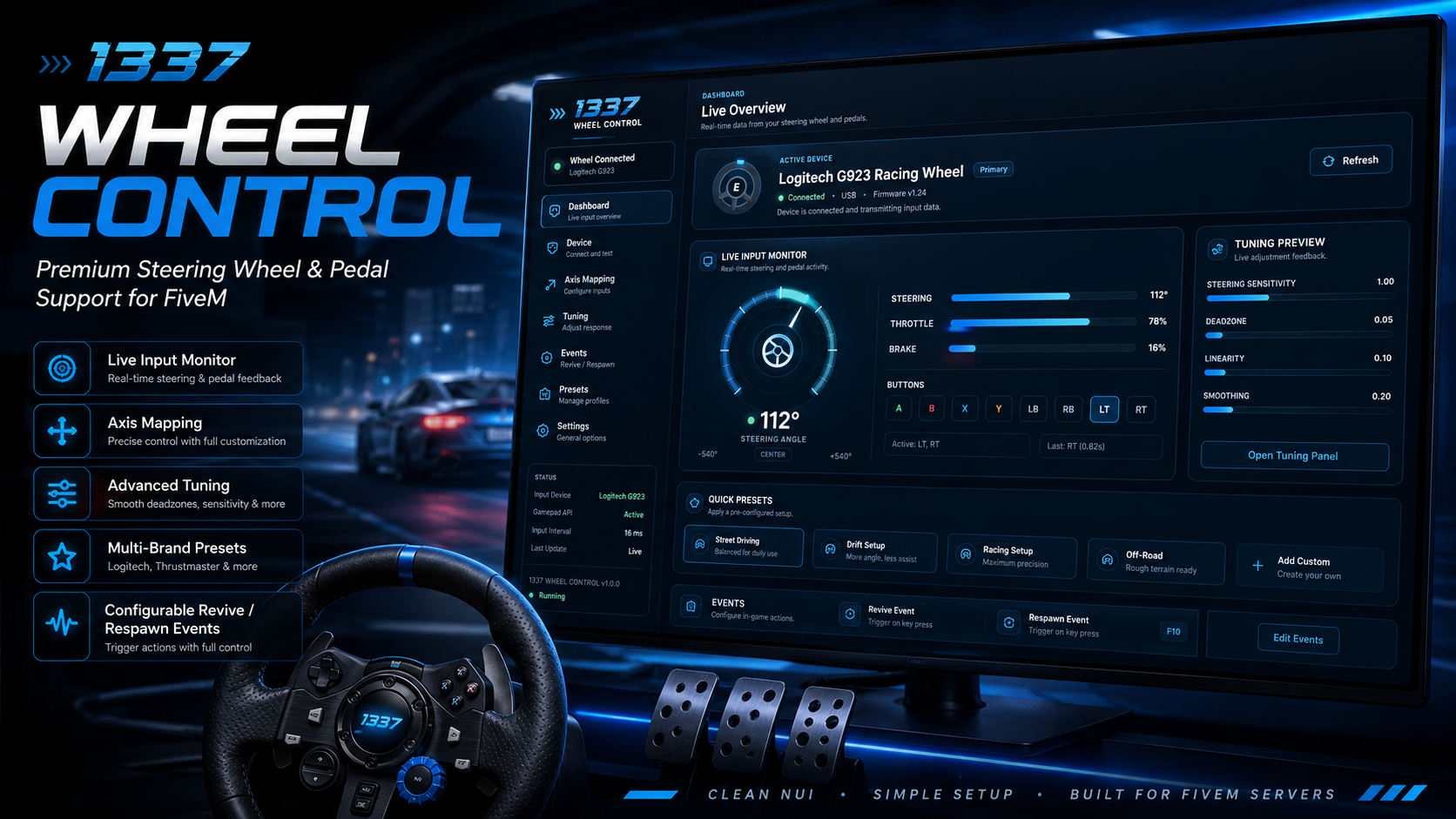
Bring proper steering wheel and pedal support to your FiveM server with a clean, modern in-game configuration interface.
1337 Wheel Control allows players to detect their racing wheel, monitor live inputs, assign steering and pedal axes, and fine-tune how the wheel responds while driving. The resource is framework-independent and designed to work through FiveM’s NUI and browser Gamepad API.
Features
- Modern in-game wheel configuration NUI
- Live steering-angle monitoring
- Live throttle and brake input displays
- Real-time wheel-button monitoring
- Automatic device and profile detection
- Multi-brand wheel preset system
- Custom steering, throttle, brake, and combined-pedal axis mapping
- Split-pedal and combined-pedal modes
- Steering and pedal inversion options
- Adjustable steering deadzone
- Adjustable throttle and brake deadzones
- Steering sensitivity and linearity controls
- Input smoothing
- Configurable steering limits
- Optional GTA steering-input override
- Settings stored locally for each player
- Configurable revive and respawn event integration
- Automatic input recovery after death, revive, respawn, focus changes, and device reconnection
- Simple
/wheelcommand and configurable keybind - No framework dependency
- No server-side database required
Player Configuration
Players can open the wheel menu in-game to:
- Select their connected wheel
- Apply an included preset
- Configure pedal mode
- Assign custom axes
- Reverse individual inputs
- Test live steering and pedal values
- Adjust steering response
- Save or reset their configuration
Server Configuration
Server owners can configure their own client-side revive and respawn events:
Config.DeathScriptIntegration = {
    Enabled = true,

    ReviveEvents = {
        'deathscript:client:revivePlayer',
        -- 'your_resource:client:revive',
    },

    RespawnEvents = {
        'deathscript:client:respawnPlayer',
        -- 'your_resource:client:respawn',
    },

    PostAliveDelayMs = 750,
    WaitForAliveTimeoutMs = 20000
}
Multiple event names can be added for servers using more than one revive, hospital, or respawn path.
Installation
- Place the resource in your server’s resources folder.
- Add the following to
server.cfg:
ensure lt_wheel_support- Configure
config.luaas needed. - Restart the resource or server.
- Use
/wheelin-game to open the configuration menu.
Requirements
- A steering wheel exposed through the browser Gamepad API
- No framework or database dependency
Important Note
This resource manages steering-wheel and pedal input inside FiveM. It does not add, emulate, or control hardware force feedback, vibration, or TrueForce effects.
The current preset options are:
- Auto-detect from selected device
- Logitech G29 / G920 / G923
- Logitech G25 / G27 / Driving Force
- Thrustmaster T150 / TMX / T248 / T300 / TX / T-GT
- Fanatec CSL / ClubSport / Podium / GT DD
- MOZA R3 / R5 / R9 / R12 / R16 / R21
- Simagic Alpha / Alpha Mini / Alpha U
- Simucube / Asetek Direct Drive
- PXN V9 / V10 / V12
- HORI Racing Wheel / Overdrive / Apex
- Generic XInput / Steam Input / x360ce wrapper
- Generic DirectInput / HID wheel
- Custom mapping
These are starter profiles. Exact pedal and steering axes can still vary depending on the wheel driver, compatibility mode, Steam Input, or wrapper being used, so every axis and inversion option remains manually adjustable in the NUI.
You will recieve 1 x FiveM package, escrowed. Drag and drop into your server and enjoy!